Edges found, pages straightened
The document camera detects the page, captures it automatically and corrects the perspective — one page after another, as many as you need.
 Papyrion: PDF Scanner & OCR
Documents · Receipts · Letters
Scan pages with your phone into clean, straightened documents, then find any of them again by the words inside. Text recognition runs on your device, so your paperwork never touches our cloud.
Less Papierkram
The document camera detects the page, captures it automatically and corrects the perspective — one page after another, as many as you need.
Reorder, rotate, re-crop with four corner handles and pick a filter per page: original, colour enhanced, greyscale or black & white.
On-device OCR for German and English turns every scan into text you can select, copy and export — without sending a single page anywhere.
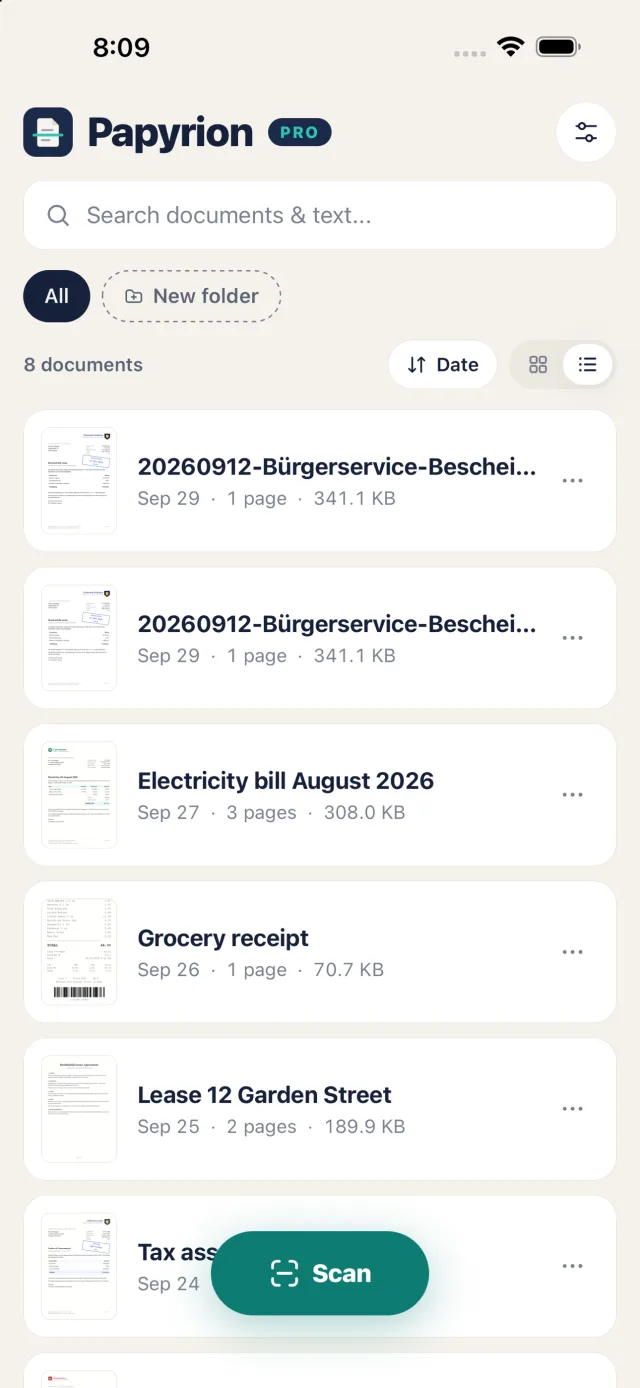
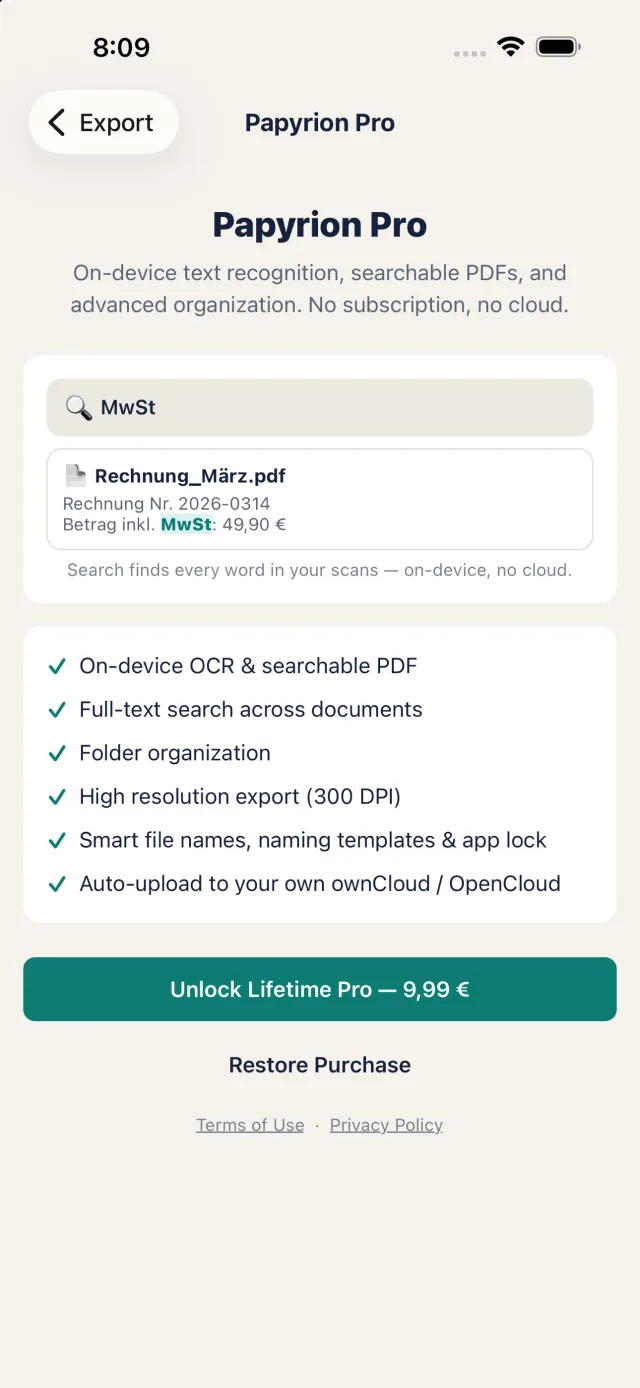
Full-text search over titles and recognised text. Type a word from an invoice or letter and the right document comes up.
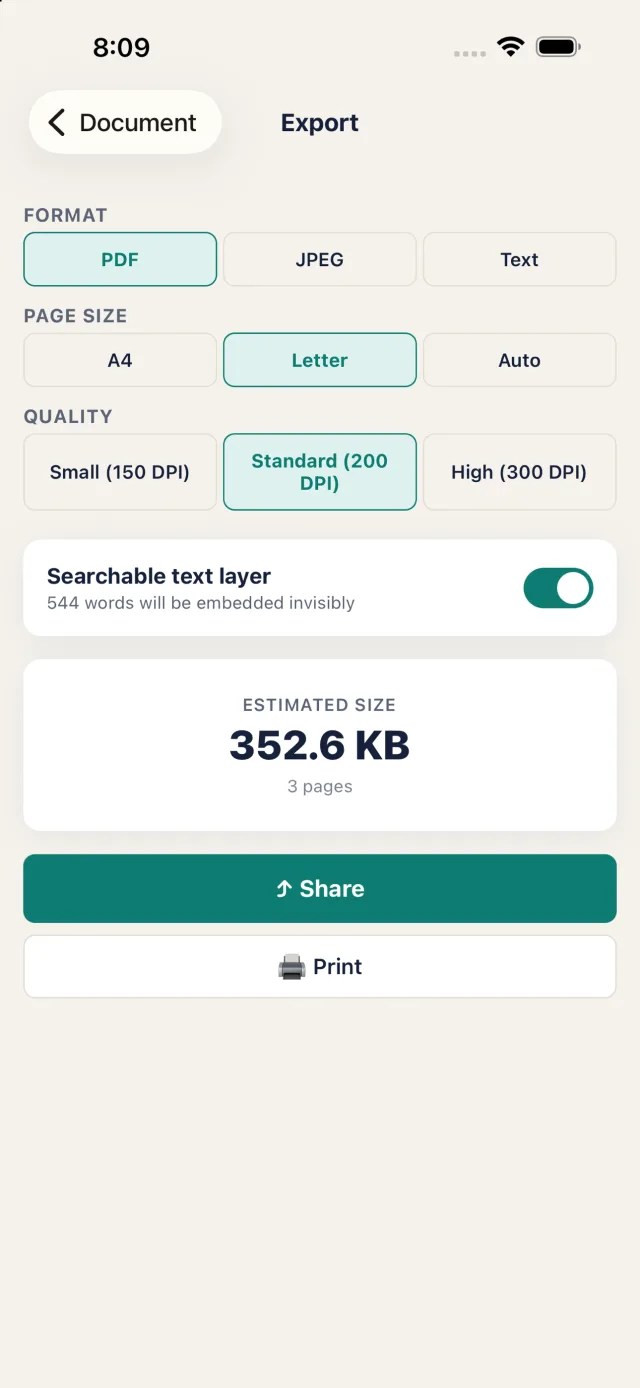
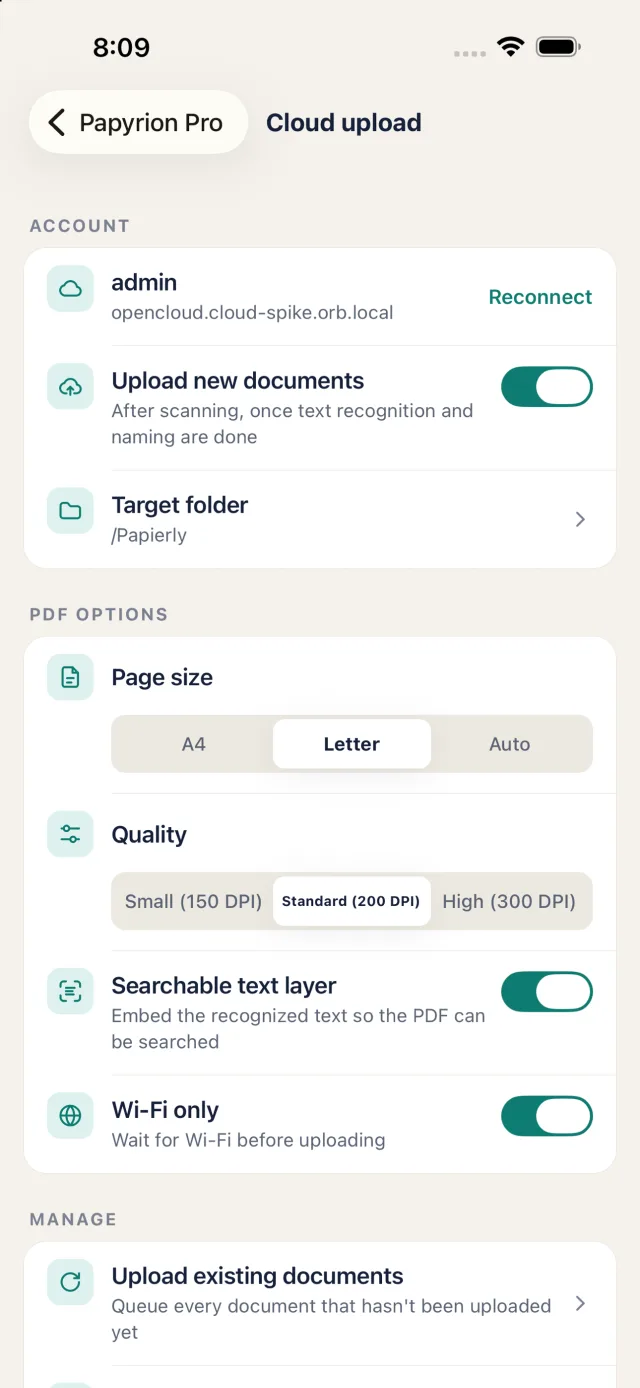
Share, print or save as PDF, JPEG or text, with page size, quality and a size estimate. With Pro, new scans can also go automatically to your own ownCloud or OpenCloud.
No account, no Papyrion cloud, no uploads to us. Your pages and their text stay in the app on your device, optionally behind Face ID or your device PIN.
Searchable PDF · Pro
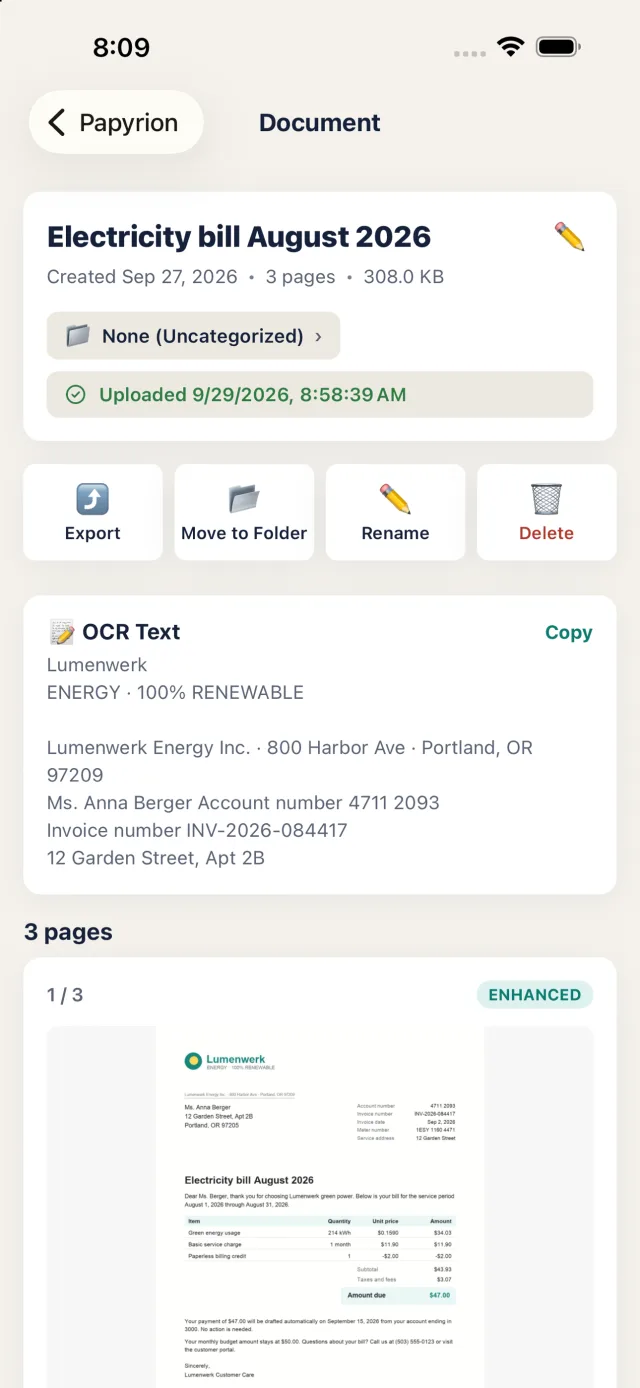
With Pro, Papyrion reads every page on your device and stores the text alongside the scan. Search finds a document by any word on any page, and the exported PDF carries an invisible text layer — so you can search, select and copy in any PDF viewer, too.
Unlocking Pro indexes your existing library in the background, newest documents first. Nothing is uploaded to us, and nothing is processed on a server.
How it works
Point the camera at the page. Edges are detected and the page is captured for you.
Reorder, rotate, re-crop and filter until every page looks right.
Give it a title or use the naming template, and file it in a folder.
Export a searchable PDF now — or find it by its content months later.
Inside the app
Pricing
Everything you need to scan
Pay once, keep it forever
No subscription, no free trial that renews, no ads. The price is shown in the app in your local currency.
FAQ
Not to us. Scanning, text recognition, search and export all run on your device, and there is no account and no Papyrion cloud. The only things that leave your phone are files you share or print yourself, documents you choose to upload to your own ownCloud or OpenCloud server, and anonymous usage statistics if you opt in under Settings → Privacy (off by default).
Scanning, page editing and filters, the document library and PDF/JPEG export in standard quality are free — with no watermark. Papyrion Pro adds text recognition, searchable PDFs, full-text search, text export, folders, high-resolution export, naming templates, the app lock and automatic upload to your own ownCloud or OpenCloud.
Yes, with Pro. Connect your server under Settings → Cloud upload with an app token you create there, pick a folder, and every new scan is uploaded as a searchable PDF once text recognition is done — by default over Wi-Fi only. Files are never overwritten, and the upload goes straight from your phone to your server over HTTPS.
They are deleted — there is no account and no Papyrion cloud, so a reinstall starts with an empty library. Keep a copy by exporting a document (for example Save to Files) or, with Pro, by uploading it automatically to your own ownCloud or OpenCloud. Documents that exist only on your phone are labelled “Only on this device” in the library.
No. Pro is a one-time purchase that you keep forever and can restore on your other devices. No trial that renews, no ads. The price is shown in the app in your local currency.
German and English. Recognition works best on flat, evenly lit pages; handwriting, tiny print, glare and creases stay hard. Always check amounts, dates and names against the original.
More answers on the support page.